ERPNext v16: New Features and Upgrade Guide
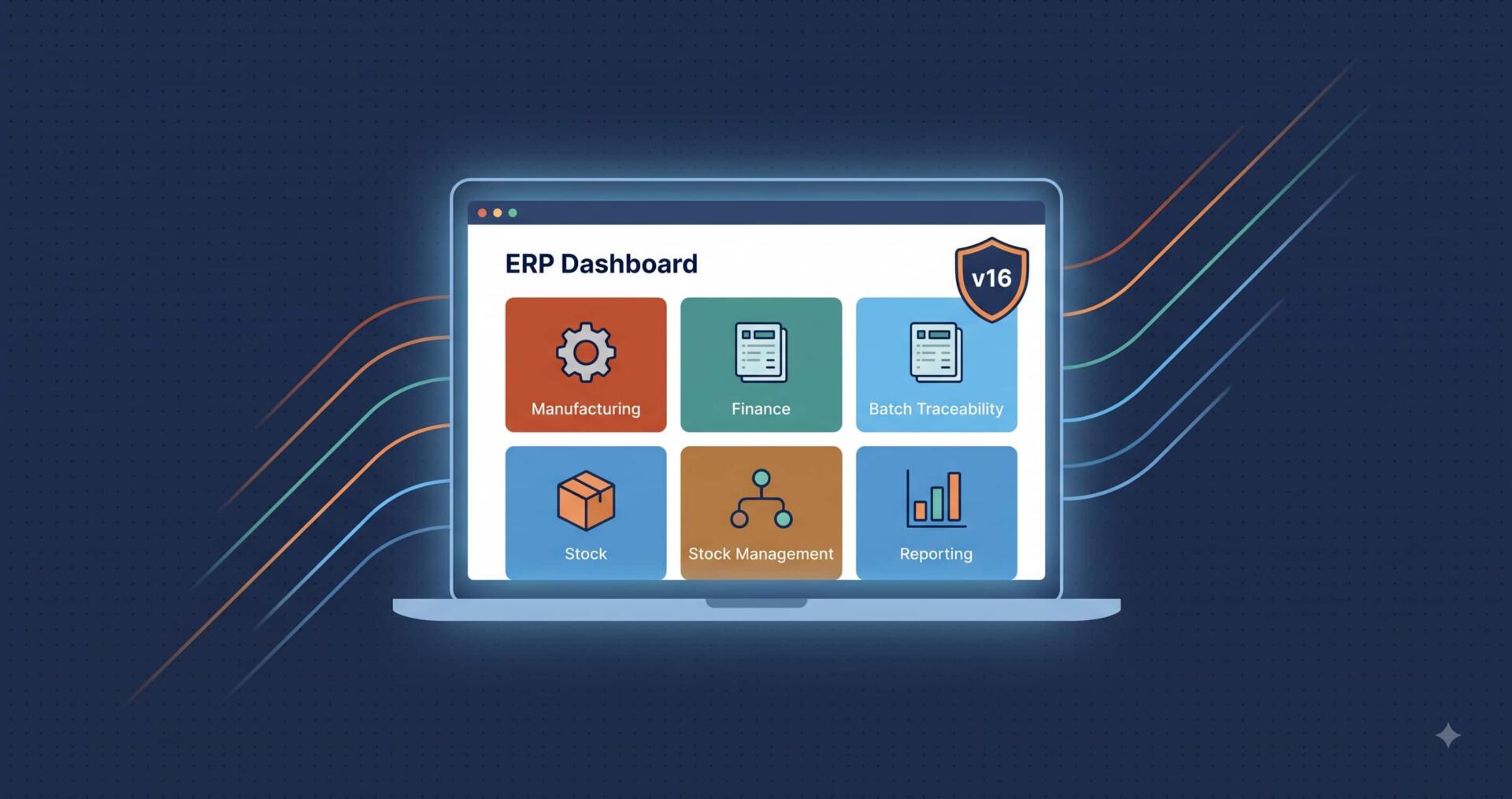
ERPNext v16: New Features and Upgrade Guide
- ERPNext v16 is the 2026 major release of the open source Frappe based ERP, shipping 50+ features after a development cycle of roughly two years.
- Manufacturing gains the most. A dedicated MRP workflow, inward subcontracting, stock reservation against work orders, and job card WIP visibility move production planning out of spreadsheets.
- Finance gains formula driven statements. Custom P&L and Balance Sheet templates plus a consolidated trial balance with currency conversion remove the Excel rebuild from month end close.
- Traceability now runs both directions in one report, from supplier batch to customer and back from a finished serial number to its input batches.
- Upgrade timing depends on your current version. Auriga IT recommends upgrading directly from v15, and treating v13 or older as a fresh v16 build with data migration rather than a chain upgrade.
- There are no licence fees. ERPNext is open source, so the cost of a v16 upgrade is migration effort, custom app remediation, and testing.
What is new in ERPNext v16?
ERPNext v16 adds more than 50 features concentrated in two areas: the financial close and production planning. The headline additions are Material Requirements Planning, inward subcontracting, stock reservation for work orders, a serial and batch traceability report, custom financial statement templates, and a consolidated trial balance across subsidiaries. Underneath sits Frappe Framework v16, with a refreshed desk interface and performance work aimed at large datasets.
Most ERPNext frustration clusters in two places: the month end close, where numbers have to be assembled from stock, purchases, and subsidiaries that were never designed to reconcile automatically; and the production floor, where planning happens in a spreadsheet because the system cannot express lead times, forecasts, and subcontracting the way the plant actually runs. Version 16 spends most of its feature budget on exactly those two areas.
The release also matters because of the gap it closes. v15 was stable but conservative, and many teams built custom apps to fill functional holes. Several of those holes are now filled in core. In upgrade audits, Auriga IT regularly finds custom code that v16 makes redundant, which means part of an upgrade's value is code you get to delete rather than port.
ERPNext v16 vs v15: what actually differs
| Capability | ERPNext v15 | ERPNext v16 |
|---|---|---|
| Production planning | Production Plan only, no lead time or forecast logic | Dedicated MRP workflow combining forecasts, delivery schedules and lead times |
| Subcontracting | Outward subcontracting only | Inward subcontracting added, for manufacturing on a customer's material |
| Material commitment | No reservation against work orders | Stock reservation for work orders and subcontracting |
| Batch traceability | Manual walk through stock ledger entries | Single report, forward and backward |
| Financial statements | Fixed layouts, exported and rebuilt in Excel | Formula driven custom P&L and Balance Sheet templates |
| Multi company reporting | Per subsidiary exports, manual consolidation | Consolidated trial balance with currency conversion |
| Closing stock at period end | Manual journal entry | Automatic posting via Get Balance |
| Landed cost | Purchase receipts | Extended to stock entries and subcontracting receipts |
What changed for finance teams in ERPNext v16?
ERPNext v16 makes the financial statement itself configurable. Finance teams get formula driven P&L and Balance Sheet templates, a consolidated trial balance across parent and child companies with currency conversion applied, purchase expense booking inside the procurement flow, automatic closing stock posting for periodic inventory, separated COGS and service expense accounting, and refactored TDS handling.
Standard ERP financial statements are built for a generic company. Indian entities filing under Schedule III, groups reporting under IFRS, and businesses that need department wise P&L all end up exporting to Excel and rebuilding the statement by hand every month. v16 attacks that at the source.
What changed in the close
- Custom financial statement templates. Formula driven P&L and Balance Sheet layouts, so the statement produced by ERPNext is the statement you file, not the input to a spreadsheet.
- Consolidated trial balance. One trial balance across parent and child companies with currency conversion applied, replacing per subsidiary exports stitched together at group level.
- Purchase expense booking. Purchase costs are tracked inside the procurement flow, which cleans up COGS calculation and cuts the reconciliation between purchase registers and the ledger.
- Automatic closing stock posting. For periodic inventory, a Get Balance action posts the stock difference to the general ledger instead of someone calculating and passing the entry manually.
- Separate COGS and service expense accounting. Product cost and service cost stop sharing a bucket, which matters the moment you sell both.
- Refactored TDS and finer budget controls. Simpler withholding setup, and budget variance you can watch during the period rather than discover after it.
How does ERPNext v16 improve manufacturing and subcontracting?
ERPNext v16 adds a dedicated Material Requirements Planning workflow that combines forecasts, delivery schedules and supplier lead times into one planning run. Alongside it, inward subcontracting supports manufacturing on a customer's material, stock reservation protects material committed to a work order, landed cost extends to subcontracting receipts, and job card level WIP visibility shows semi finished quantity at each workstation.
Plants that run to forecast have historically planned outside ERPNext, because the system could take a production plan but could not reason about forecasts, delivery schedules, and supplier lead times together. v16 changes that, and pairs the planning run with the controls that make a plan survive contact with the floor.
Job card level WIP visibility ties these together. Supervisors can see semi finished quantity sitting at each workstation during the shift instead of reconstructing it from the day's entries.
How does batch and serial traceability work in ERPNext v16?
ERPNext v16 ships a serial and batch traceability report that runs in both directions from a single screen. Forward, it traces a received raw material batch to every finished good and every customer it reached. Backward, it traces a finished serial number to the exact input batches and the suppliers behind them. Stock accounting can also now be set at item level or item group level.
When a customer reports a defect, the question is always the same: which batch, from which supplier, and where else did it go. Answering that in earlier versions meant walking stock ledger entries by hand across receipts, transfers, and deliveries, which is slow at exactly the moment speed matters.
- Forward trace: from a received raw material batch to every finished good and every customer it reached.
- Backward trace: from a finished serial number to the exact input batches and the suppliers behind them.
- Valuation flexibility: stock accounting at item level or item group level, which keeps the chart of accounts manageable for businesses running thousands of SKUs.
Is ERPNext v16 faster, and what changed in the interface?
Yes. ERPNext v16 runs on Frappe Framework v16, which brings a refreshed desk interface and performance work targeted at large datasets. General Ledger, P&L and Balance Sheet reports that previously struggled on multi year data now return, and background processing is more predictable. Frappe describes v16 as its most secure release, with tightened permission and background job defaults.
- Refreshed desk. Cleaner navigation and list views, which reduces the training load for finance and store users who live in the system all day.
- POS improvements. Faster item search and steadier offline mode, which matters for retail counters on unreliable connections.
- Safer defaults. Tightened permission and background job behaviour out of the box. The full changelog sits in the official ERPNext v16 release notes.
- Frappe HR v16. Better synchronisation between HR and payroll, relevant if attendance and payroll run on the same stack.
What does ERPNext v16 mean for a real implementation?
The gaps ERPNext v16 closes are the same gaps implementation teams currently fill with configuration and custom apps. In Auriga IT's ERPNext engagements across manufacturing, export, commerce and services, the features added in v16 map directly onto problems that previously needed custom development.
Export manufacturing with job work
At Avanti Overseas, order planning, procurement, production, and job work run across four factories on one ERPNext platform implemented by Auriga IT. Inward subcontracting, landed cost on subcontract receipts, and MRP in v16 map directly onto that shape of business, where a component's true cost only makes sense after freight and duty land on it.
High SKU commerce and warehouse operations
For a beauty and wellness commerce operation running over 10,000 SKUs, Auriga IT brought procurement, warehouse, B2B, and B2C workflows onto a single ERP platform. At that SKU count, v16's item group level stock valuation and its batch traceability report are the difference between a chart of accounts you can audit and one you cannot.
Workforce heavy services
Where the operating problem is people rather than product, as in the HR and payroll platform Auriga IT built for 12,000 employees across 100+ sites, the relevant part of v16 is Frappe HR's tighter HR to payroll sync rather than the manufacturing work.
The pattern worth noting: v16 does not change what a good implementation looks like. It changes how much of it you have to build yourself.
How does Auriga IT approach an ERPNext v16 upgrade?
Auriga IT runs an ERPNext v16 upgrade in five stages: audit custom apps against the v16 feature list, restore production data to a staging instance and migrate there first, remediate deprecated API usage, reconcile reports between staging and production for the same period, then cut over near a period boundary with a tested rollback path. No migration is run against a live instance.
The five stages
- 1. Custom app audit. Every custom app, server script and print format is listed and checked against v16 API changes. Anything v16 now does in core is marked for retirement rather than migration, which reduces the code you carry forward.
- 2. Staging migration. Production data is restored into a staging instance and the migration is run there first. This is where version specific failures surface, at zero risk to live operations.
- 3. Remediation. Deprecated API calls, changed report structures and altered DocType behaviour are fixed on staging, and integrations are re pointed and tested individually.
- 4. Report reconciliation. Reconciled reports are run on staging and compared against production for the same period. Any number that shifts becomes a test case that must be explained before cutover.
- 5. Cutover and rollback. The window is picked near a period boundary, the rollback path is documented and tested, and post go live support covers the first close on the new version.
Two checks decide most of the cost. First, how many custom apps exist, because remediation effort scales with customisation rather than data volume. Second, whether integrations touch payment, e invoicing or logistics endpoints, since those need separate verification cycles.
Should you upgrade to ERPNext v16 now?
Upgrade to ERPNext v16 now if you are on v15 and need MRP, subcontracting or consolidated reporting. From v14, plan a staged upgrade with a full regression cycle and avoid mid financial year. On v13 or older, a fresh v16 build with data migration is usually cheaper than a chain upgrade. A major version jump is a project, not a patch.
| You are on | Practical read | Suggested timing |
|---|---|---|
| v15 | Cleanest path. Custom app breakage is the main risk, not data migration. | Plan it this quarter if MRP, subcontracting, or consolidated reporting are on your gap list. |
| v14 | Two version jump. Expect deprecated API usage in custom code and report changes. | Staged upgrade with a full regression cycle. Avoid mid financial year. |
| v13 or older | Treat as a re implementation decision, not an upgrade. Configuration debt usually outweighs migration effort. | Scope a fresh v16 build with data migration rather than a chain upgrade. |
| Heavily customised, any version | Some of your custom code now duplicates core v16 behaviour. | Audit custom apps against the v16 feature list first. Retiring code is part of the upgrade value. |
What a safe upgrade actually involves
- Restore production data into a staging instance and run the migration there first, never against live.
- List every custom app and server script, then check each against v16 API changes before scheduling downtime.
- Re run your reconciled reports on staging and compare against production for the same period. Numbers that shift are your test cases.
- Verify integrations separately, especially payment, e invoicing, and logistics endpoints.
- Pick a window near a period boundary and keep the rollback path documented and tested.
If you want the fuller picture on cost, modules, and partner selection, the Auriga IT ERPNext guide for 2026 covers the implementation side in depth.
Frequently asked questions about ERPNext v16
What is ERPNext v16?
ERPNext v16 is the 2026 major release of ERPNext, the open source ERP built on the Frappe Framework. It follows v15 after a development cycle of roughly two years, and Frappe's release notes credit 600+ contributors with more than 50 new features across accounting, manufacturing and stock, plus a refreshed Frappe Framework v16 desk interface underneath.
What are the most important new features in ERPNext v16?
The four that change day to day work most are the Material Requirements Planning workflow, inward subcontracting, the serial and batch traceability report, and custom financial statement templates. Alongside them, the consolidated trial balance matters for group companies and automatic closing stock posting removes a recurring manual entry at month end.
What is the difference between ERPNext v16 and v15?
v15 had no MRP workflow, no inward subcontracting, no stock reservation against work orders, and fixed financial statement layouts. v16 adds all four, plus a two directional batch traceability report, a consolidated trial balance with currency conversion, automatic closing stock posting, and landed cost on subcontracting receipts.
Is ERPNext v16 stable enough for production?
v16 moved through release candidate builds before general availability, and Frappe describes it as its most secure release, with performance work across accounting, manufacturing and stock. Stability for a specific business still depends on its custom apps and integrations, which is why Auriga IT runs every v16 migration on a staging instance with a full regression cycle before cutover.
Will my customisations break when upgrading to ERPNext v16?
Some will. v16 is the first major release in roughly two years, so deprecated API calls, changed report structures and altered DocType behaviour are all realistic. Audit each custom app before scheduling the upgrade, and check whether any of them now duplicate standard v16 features that can be retired instead of ported.
Does upgrading to ERPNext v16 cost anything in licence fees?
No. ERPNext is open source with no per user licence fee, so the cost of a v16 upgrade is effort: migration, custom app remediation, testing, and any retraining. Frappe Cloud hosting or self hosted infrastructure cost is separate and unchanged by the version.
How long does an ERPNext v16 upgrade take?
It depends almost entirely on customisation, not data volume. A near standard v15 instance can be upgraded and regression tested in a short cycle. An instance with several custom apps, custom print formats and live integrations needs a staged plan with a full test pass, which is where most of the calendar time goes.
Should we upgrade to ERPNext v16 or re implement?
On v13 or older, or where configuration has drifted so far that nobody can explain why certain settings exist, a fresh v16 build with data migration is usually cheaper than a chain upgrade. From v15, upgrading is the clear choice. Auriga IT makes this call during the custom app audit, before any migration work starts.
Can you upgrade directly from ERPNext v14 to v16?
A v14 to v16 jump skips a major version, so expect deprecated API usage in custom code and changed report structures. It should be run as a staged upgrade on staging first, with a full regression cycle, and scheduled away from a financial year boundary.
Does ERPNext v16 change anything for Indian statutory compliance?
Yes, indirectly and usefully. Refactored TDS handling simplifies withholding setup, and formula driven financial statement templates make it practical to produce a filing ready layout inside ERPNext rather than rebuilding it in Excel each period.
Does ERPNext v16 support job work and contract manufacturing?
Yes. Inward subcontracting is new in v16 and supports receiving raw material from a customer, manufacturing finished goods on their behalf, and accounting for it correctly. Landed cost also now applies to subcontracting receipts, so freight, handling and duty allocate onto subcontracted goods.
Who can implement or upgrade ERPNext v16 in India?
Auriga IT is an ERPNext implementation partner based in Jaipur, India, with delivered ERPNext implementations across multi plant manufacturing, export operations, high SKU commerce, and workforce heavy services. Its v16 work covers custom app audits, staged migration, report reconciliation and post go live support through the first close.
Planning an ERPNext v16 upgrade or a fresh build?
Auriga IT has implemented ERPNext across multi plant manufacturing, export operations, high SKU commerce, and workforce heavy services. We audit your current instance against the v16 feature list, tell you what custom code you can retire, and scope the upgrade with a tested rollback path.
Talk to our ERPNext teamLast updated: 13 August 2026. Reviewed against Frappe's published ERPNext v16 release notes.
Related content

Auriga: Leveling Up for Enterprise Growth!
Auriga’s journey began in 2010 crafting products for India’s [...]